Views: 1060 Author: Adhaiwell Publish Time: 2026-04-20 Origin: Site
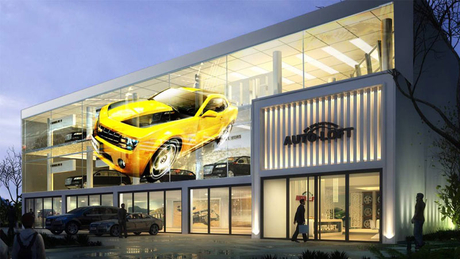
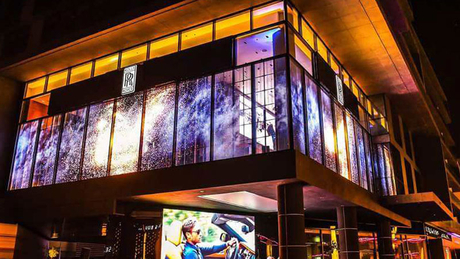
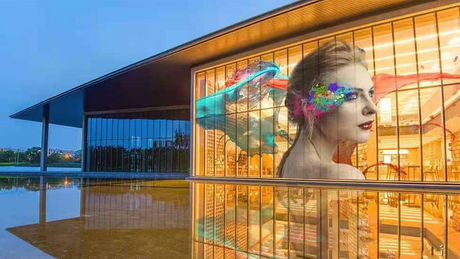
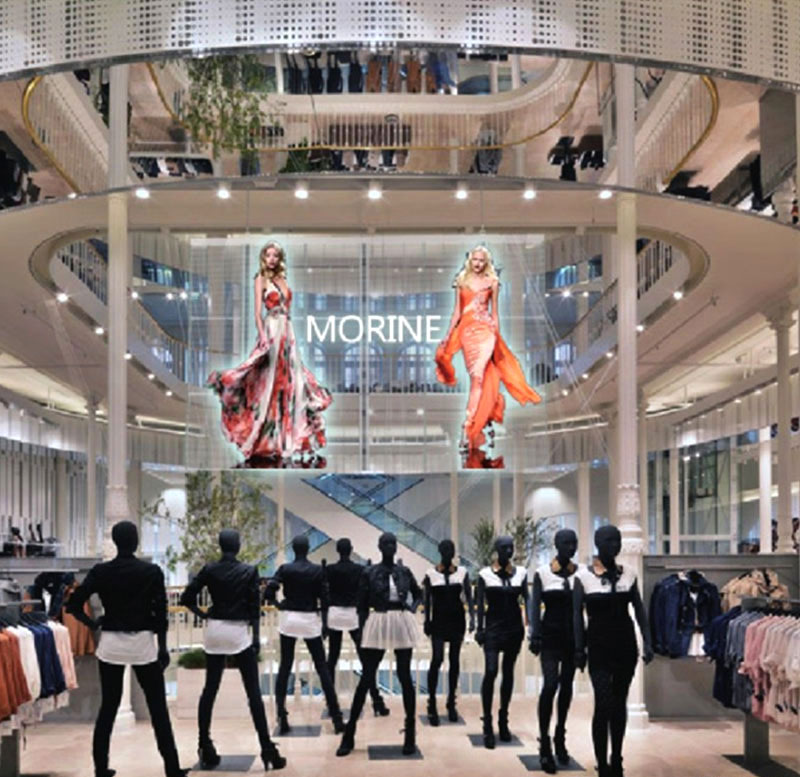
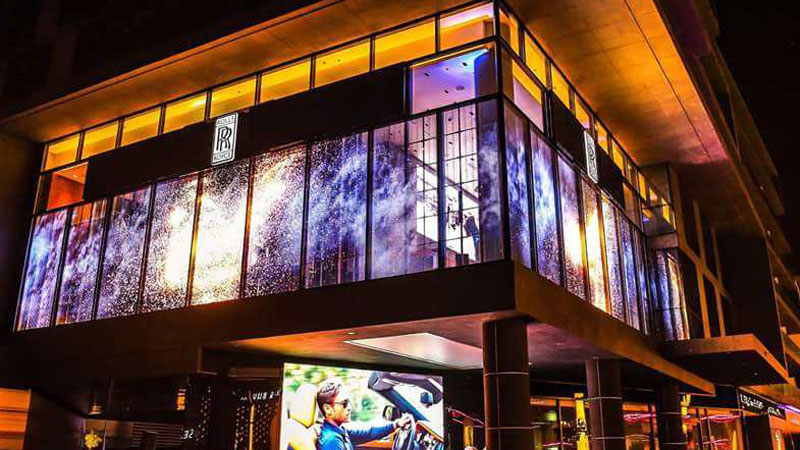
Transparent LED screens are increasingly deployed in high‑end office buildings, commercial complexes, retail storefronts, shopping mall atriums, and glass curtain walls worldwide. While these displays offer stunning visual impact and 70–95% transparency, they require systematic maintenance to preserve image quality, prevent premature failure, and maximize return on investment.
This guide provides overseas LED display buyers, system integrators, and advertising operators with a comprehensive maintenance framework—from daily cleaning protocols to failure diagnosis and lifespan extension strategies.
Power stability is critical – voltage fluctuations are a leading cause of LED driver failure and premature aging
Clean correctly – Use only microfiber cloths, vacuums, or compressed air. Never use hard or abrasive cloths directly on the panel surface
Brightness adjustment – Lower brightness at night extends lamp‑bead lifespan. Automatic or manual 256‑level adjustment is recommended
Static image caution – Prolonged display of all‑white, all‑red, or all‑green images increases current load and can damage LED chips
Daily rest period – 2+ hours of rest per day and monthly 2‑hour runs help prevent component aging
Moisture is the enemy – If water enters, immediately disconnect power. Do not restart until fully dry and inspected
Professional repairs only – Internal circuits and power supplies must only be serviced by qualified technicians
The global transparent display market was valued at USD 4.29 billion in 2025 and is projected to reach USD 5.27 billion in 2026, growing at a CAGR of 23.14%. By 2033, the market is expected to reach USD 52 billion, representing a 36% CAGR from 2026 to 2033. Driving factors include digital transformation in retail, smart city investments, and restrictive regulations on opaque outdoor billboards.
As deployment scales accelerate, proper maintenance becomes a competitive differentiator. A poorly maintained transparent LED screen not only degrades brand image but also shortens operational lifespan—potentially cutting 100,000‑hour theoretical lifespans down to 4–8 years in real‑world conditions
LED chips themselves carry a theoretical lifespan of 100,000 hours (over 11 years of continuous 24/7 operation). However, real‑world lifespan depends heavily on usage conditions, environmental factors, and maintenance discipline.
| Condition | Expected Lifespan |
|---|---|
| Ideal (controlled indoor, stable power, regular maintenance) | 80,000 – 100,000 hours |
| Typical commercial (shopping mall, retail window, moderate usage) | 50,000 – 80,000 hours |
| Harsh environment (high dust, humidity, or temperature extremes) | 30,000 – 50,000 hours |
For transparent LED screens installed indoors behind glass but viewed outdoors (the most common deployment), indoor climate control significantly extends lifespan compared to fully outdoor units.
Key insight: The most common cause of premature failure is not the LED chips themselves but peripheral components—power supplies, driver ICs, and signal connectors—which age faster under heat and unstable voltage
Action: Verify stable input voltage daily. Avoid simultaneous operation of high‑power equipment on the same circuit.
Why this matters: Voltage fluctuations are a leading cause of LED driver failure. Current spikes can damage lamp beads and shorten overall display life. For transparent LED screens drawing substantial power, consider installing a dedicated surge‑protected circuit with voltage regulation.
Good grounding is essential: Ensure the display’s grounding protection is intact. In regions with frequent lightning storms, disconnect the display during severe weather. Even indoor‑installed units behind glass remain susceptible to power‑line surges.
Transparent LED screens should be placed in low‑dust, dry environments away from direct moisture sources.
| Environmental Parameter | Recommended Range |
|---|---|
| Temperature | 20°C – 25°C (68°F – 77°F) |
| Relative humidity | 40% – 60% |
| Dust level | Low (use air filtration if needed) |
High humidity warnings: In coastal or rainy regions, condensation can form inside the display chassis if temperature differentials are significant. If the screen powers off unexpectedly or shows flickering, check for internal moisture before restarting.
Dust impact: Excessive dust accumulation blocks ventilation, reduces heat dissipation efficiency, and can cause circuit shorts. For retail environments with high foot traffic (shopping malls, airports), weekly dust checks are recommended.
DO use:
Soft, lint‑free microfiber cloth
Vacuum cleaner or low‑pressure compressed air gun (holding at a safe distance)
Distilled water if damp‑cleaning is necessary (spray onto cloth, not directly onto screen)
For stubborn stains: 1:1 distilled water and white vinegar solution on microfiber cloth
DO NOT use:
Hard or rough fabrics (they will scratch the LED lens surface)
Direct rag wiping without vacuuming first (this presses dust into panel gaps)
Harsh chemicals, alcohol, or ammonia‑based cleaners (they can degrade the transparent coating)
Excessive water or direct spraying (moisture ingress kills LEDs)
Step‑by‑step cleaning procedure:
Power off the display completely
Vacuum or blow dust from the surface using soft brush attachment or compressed air
For persistent residue, lightly dampen a microfiber cloth with distilled water
Wipe in gentle circular motions starting from the top
Note: For transparent LED screens with very fine pixel pitches (e.g., P3.9–P6.25), abrasive cleaning can misalign micro‑LED structures. Use only recommended methods.
Recommended rest schedule:
Rainy/humid season: Weekly 1‑hour operation to drive out internal moisture
Rationale: Continuous 24/7 operation accelerates LED lamp‑bead aging and power supply wear. Periodic rest allows components to cool, reducing thermal stress. The monthly 2‑hour run during low‑usage periods prevents humidity‑related corrosion.
Action: Do not display full‑screen solid colors (all white, all red, all green, all blue) for extended periods.
Technical reason: Static monochrome images at high brightness cause uneven current draw, localized heating, and accelerated LED degradation in specific color channels. This is particularly problematic for transparent LED screens used in retail window applications where content may freeze due to player errors.
Best practice: Implement content rotation schedules ensuring dynamic video or periodic image changes. If static logos or text are necessary, reduce brightness to 50–60% and limit duration to less than 30 minutes before transitioning content.
Modern transparent LED screens support 256‑level brightness adjustment via software control or automatic light sensors.
Recommended brightness by environment:
Benefits of adjustment:
Reduces energy consumption
Extends lamp‑bead lifespan by lowering operating temperatures
Minimizes visual fatigue for viewers
For nighttime use, lowering brightness also reduces light pollution
Many integrators configure automatic brightness curves that follow the sun’s position using light sensors—a recommended feature for glass curtain wall installations facing changing outdoor light conditions.
Checklist for monthly inspection:
Dead or stuck pixels – Display a full grid test pattern or solid color test screens (red, green, blue, white). Dark spots indicate dead LED beads.
Color uniformity – Adjacent modules should match. Color shifts across the screen often indicate aging driver ICs or power supply inconsistencies.
Screen flatness – Stand at the side of the screen. Any bulges or dips will cause brightness inconsistency at different viewing angles and increase mechanical stress over time.
Flickering – Use a smartphone camera 5–10 meters away. Ripple patterns or rolling lines in the viewfinder indicate low refresh rates or unstable power delivery.
Loose power or data cables are among the most common yet easily preventable failure modes.
Monthly actions:
Inspect all signal and power connectors for corrosion, bent pins, or loosening
Gently reseat any cables that show movement
For outdoor‑adjacent installations, check water seals around cable entry points
Internal dust accumulation on driver boards, power supplies, and heat sinks restricts airflow and accelerates component aging.
Procedure (to be performed by trained technicians only):
Power off and disconnect all supply lines
Open rear access panels or cabinet doors
Remove visible dust using low‑pressure compressed air or soft brush
Clean air filters if cooling fans are present
Safety note: Internal circuits carry high voltages even after disconnection due to capacitor discharge. Only qualified personnel should access internal compartments.
For continuous operation (e.g., airport or shopping mall media networks), maintain a minimum spare inventory:
| Spare Component | Recommended Quantity | Purpose |
|---|---|---|
| LED modules (per pixel pitch type) | 3–5% of installed count | Dead pixel replacement |
| Power supply units | 1–2 units per 50 m² | Flicker/no‑power resolution |
| Signal receiver cards | 1 per 10 connected cabinets | Communication failure fix |
| Data/power cables | 2–3 of each type | Faulty connection replacement |
A well‑stocked spare‑part inventory reduces mean time to repair (MTTR) from days to hours.
Small black spots or lines on the screen that do not illuminate regardless of content.
Causes: Manufacturing defect, physical impact, prolonged use at excessive current, or driver IC failure.
Troubleshooting steps:
Run a full RGB test pattern to confirm dead pixel locations
Try gentle local pressure to see if the pixel revives
If multiple dead pixels cluster in a single module, replace the entire LED module
For single isolated dead pixels, individual lamp‑bead replacement is possible with specialized equipment(通常为工厂级维修)
Prevention: Avoid prolonged static high‑brightness images. Maintain stable power. Use quality LED chips from reputable manufacturers.
Screen brightness oscillates rapidly, visible to the naked eye or camera.
Causes: Unstable power supply, loose data cable connections, signal interference, or failing LED driver.
Troubleshooting steps:
Check all power connectors and reseat firmly
Verify voltage stability during operation (should remain within ±5% of rated)
Swap suspect power supply unit with known good spare
Test signal source on another known good display to isolate control system issues
Prevention: Install surge protectors and voltage regulators. Use properly shielded signal cables for runs over 10 meters.
Certain screen areas display different color temperature or brightness than adjacent zones.
Causes: Aging LED modules, incorrect calibration, thermal variation, or mismatched module batches.
Troubleshooting steps:
Run calibration from the control software – most transparent LED systems support module‑level brightness adjustment
Check ambient temperature in affected area (modules near windows or HVAC vents age faster)
If recalibration fails, replace the dimmest modules to restore uniformity
Prevention: Ensure uniform airflow across the entire screen surface. Order all modules for a project from the same production batch to minimize binning variation.
Ghost images remain visible after content changes, like a faint watermark.
Causes: Static content displayed for very long periods (weeks or months) without change.
Troubleshooting steps:
Run a pixel refresher tool if the control software provides one
Display high‑motion dynamic content (video loops) for several hours
If persistence remains after 24 hours of dynamic content, affected panels may require replacement
Prevention: Never run static logos or fixed banners for more than 30 minutes without content rotation. Implement automated content schedulers that vary imagery throughout the day.
Screen becomes hot to touch; thermal shutdown or accelerated color degradation occurring.
Causes: Poor ventilation, excessive ambient temperature, prolonged high‑brightness operation, or dust‑clogged airflow paths.
Troubleshooting steps:
Measure surface temperature at multiple points (normal operating range: 35°C–55°C ambient‑adjusted)
Clean all air intake and exhaust vents
Reduce brightness to 70–80% for several hours to lower thermal load
For enclosures, verify cooling fans are operational
Prevention: Ensure at least 5–10 cm of clearance behind all screen cabinets. For large installations (50+ m²), active cooling via fans or air conditioning in the rear space may be required.
Immediate actions:
Immediately disconnect all power – Do not hesitate. Moisture + active circuits = short circuit risk
Do not attempt to power on until completely dry
Contact maintenance personnel or factory support
For minor condensation or spills, allow natural drying (48–72 hours minimum) with ventilation
Warning: Even brief operation after water ingress can cause irreversible damage to driver ICs and LED bonding wires, often requiring full module replacement.
Pre‑storm actions: For regions with frequent lightning, power down and physically unplug the display during severe storms.
Post‑surge diagnosis: If the screen powers on but shows unusual behavior (partial dead zones, flickering, color shift) after a known power event, the power supply unit or driver boards may have sustained damage. Replace suspect components before resuming normal operation.
Dust itself is less immediately dangerous than conductive metal particles (iron powder, metal shavings) which can create short circuits across closely spaced LED driver traces.
Response: Shut down, vacuum interior compartments (qualified personnel only), inspect for visible bridging between traces under good lighting.
Modern transparent LED displays are as much software systems as hardware.
Recommended interval: Check for updates semi‑annually; install critical security or performance updates within 30 days of release.
Procedure:
Back up current calibration and configuration settings
Power off the display before connecting update media
Follow manufacturer instructions precisely
After update, re‑run full calibration and test cycle
Note: Firmware updates that fail mid‑process can render receiver cards temporarily inoperable. Perform updates during scheduled low‑traffic hours with manufacturer support on standby.
For advertising operators managing media networks (shopping mall facades, airport displays, chain stores):
Refresh playlists weekly to prevent static‑image persistence
Monitor scheduled brightness curves for accuracy
Validate content playback across all connected screens
Maintain backup of all configuration files and calibration data
| Season | Primary Risks | Recommended Actions |
|---|---|---|
| Spring | Increased humidity, pollen | Run dehumidifiers; increase vacuuming frequency; monthly 2‑hour operation |
| Summer | High ambient heat, direct sunlight | Verify cooling systems; reduce daytime brightness if overheating observed; shade direct sun where possible |
| Autumn | Falling dust, temperature swings | Clean all ventilation ducts; inspect seals for gaps |
| Winter | Low humidity, static electricity | Monitor minimum operating temperatures (spec sheet dependent); use anti‑static handling for maintenance |
For glass curtain wall installations with indoor‑installed but outward‑facing displays, indoor HVAC systems protect the LED modules, but temperature gradients between glass surface and interior space may still create condensation risks.
Q1: What is the typical lifespan of a transparent LED display?
The LED chips have a theoretical lifespan of 100,000 hours under ideal conditions. In practical commercial use (shopping malls, retail windows, glass curtain walls), expect 50,000–80,000 hours with normal usage and maintenance. Poor environments can reduce this to 30,000–50,000 hours. The key differentiator is maintenance discipline and environmental control.
Q2: Can I clean a transparent LED screen with glass cleaner?
No, never. Glass cleaners contain ammonia and other chemicals that damage the transparent coating and LED lenses. Use only a dry microfiber cloth, compressed air, or a mixture of distilled water and white vinegar (50/50) applied to the cloth—never sprayed directly onto the screen.
Q3: What should I do if water gets into my transparent LED display?
Immediately disconnect all power. Do not restart. Contact a qualified technician. Allow the screen to dry completely (minimum 48–72 hours) before any power application. Attempting to run a wet LED display will cause permanent short‑circuit damage requiring full module replacement.
Q4: How often should my transparent LED display rest?
Daily rest of at least 2 hours is recommended. Additionally, run the display for at least 2 hours continuously once per month. In rainy or humid seasons, run it for 1 hour weekly to drive out internal moisture.
Q5: Why is my screen flickering even though it just turned on?
The most common causes are loose power or data connectors. First, power off and reseat all cables firmly. If flickering persists, test with a known good power supply or signal source. Flickering can also occur from voltage instability—verify your electrical supply meets the display’s specifications (±5% of rated voltage).
Q6: How do I check for dead pixels?
Display a full test pattern with solid colors: red, green, blue, and white. Dark spots that do not illuminate are dead pixels. For transparent LED screens with fine pixel pitches (e.g., P3.9), use a magnifying tool to distinguish dead pixels from dust particles.
Q7: Does brightness adjustment really extend display life?
Yes, significantly. Lower brightness reduces operating temperature. Heat is the primary enemy of LED longevity. Running a display at 80% brightness vs. 100% can extend lamp‑bead life by 30–50%. Using automatic brightness adjustment based on ambient light is the best practice for permanent installations.
Q8: Can non‑professionals perform internal repairs?
No. Internal circuits carry hazardous voltages. Power supplies retain charge even after disconnection. Signal and driver board replacement requires specific technical knowledge to avoid damaging LED modules. Always involve the manufacturer or a certified integrator for any repair beyond surface cleaning and cable reseating.
Q9: What spare parts should I keep on hand?
Minimum recommended inventory: 3–5% of LED modules for pixel pitch type, 1–2 power supply units per 50 m², 1 signal receiver card per 10 cabinets, and 2–3 of each cable type. This spares kit reduces repair downtime from days to hours for most common failures.
Q10: Is there a difference in maintenance between indoor‑installed and fully outdoor transparent LED screens?
Yes. Indoor‑installed transparent LED screens (behind glass but viewed outdoors) are protected from rain, UV, and wind. Their maintenance focuses on dust, power stability, and humidity control. Fully outdoor‑rated transparent LED screens require additional weather sealing inspections, moisture ingress checks, and more frequent cleaning of exterior surfaces. For glass curtain wall projects (the most common commercial deployment), the indoor type applies.
Adhaiwell (HAIWELL GZ ADVERTISING INDUSTRIAL CO., LIMITED) is a professional advertising display manufacturer in China, offering one‑stop media solutions for global buyers. As a Gold Member on Made‑in‑China and a regular exhibitor at Canton Fair, Adhaiwell serves clients across Africa, the Caribbean, the Middle East, and beyond.
Adhaiwell’s transparent LED display offerings include:
Full customization: any shape, size, or pixel pitch
Complete project solutions from structural design to on‑site commissioning
OEM/ODM services for global brand partners
Worldwide shipping with 2‑year standard warranty (extended options available)
24/7 technical support and remote troubleshooting
Contact Adhaiwell for:
Technical documentation including maintenance schedules and spare part lists
Remote or on‑site training for your local maintenance team
Warranty service and genuine spare parts sourcing
System firmware updates and calibration support
For buyers (procurement professionals): When evaluating transparent LED display suppliers, ask about their maintenance documentation, recommended spare part quantities, and warranty terms. A supplier that provides clear maintenance protocols is more likely to deliver reliable long‑term performance.
For integrators: Build maintenance into your project quotes. Offer clients optional service contracts that include quarterly inspections, dead pixel repairs, and calibration. This recurring revenue model serves both client needs and your business growth.
For advertising operators: A well‑maintained transparent LED display maximizes uptime and revenue. Calculate the cost of a single day of downtime against your maintenance budget—preventive maintenance is always cheaper than emergency repairs.
Next steps: Contact Adhaiwell with your installation details (screen size, pixel pitch, environment, typical operating hours) to receive a customized maintenance plan and spare parts recommendation tailored to your project.
Let's light up the future of advertising together
Mon - Fri: 9 AM - 6 PM
Sat - Sun: 11 AM - 3 PM






 English